



Undergrads balance up to eight separate digital accounts for coursework alongside personal obligations, with screen time frequently split between mandatory platforms and personal communication tools. Managing heavy reading assignments, lab deadlines, tasks, and research, including the internship obligations, leaves very little space for independent skill development and continuous learning. Evaluating the top self-improvement apps for students in 2026 can help to implement structured, software-assisted learning habits directly into your weekly schedule without adding extra stress to your semester workload.
These digital solutions serve as practical systems for managing attention during brief gaps. Our review process balanced current app marketplace downloads and university wellness recommendations. Students can look at these specific platforms to locate verified personal growth tools that support skill-building outside the standard classroom environment. These items occupy prominent positions in the global rankings for self-improvement apps due to their simple design and high completion rates. Let's compare them based on how you spend your time during a typical week!
1. Headway App: Reading Core Insights from Nonfiction Bestsellers Between Classes
Students often face major time shortages when trying to digest long reading lists alongside personal development books. The Headway app resolves this bottleneck by offering concise summaries of key nonfiction texts, focusing strictly on actionable knowledge. You can listen to full conceptual outlines while walking across campus or waiting for an advising appointment to start.
This platform has achieved over 55+ million downloads and earned an Editor's Choice badge from Apple for its structured delivery of self-education materials. It offers 2300 books and uses bite-sized text packages that allow you to review historical or psychological theories, art, and science during brief ten-minute windows.
You can also learn practical insights to improve your skills and learn new habits or useful concepts from books. For example, the top popular bestsellers include:
- 'Atomic Habits' by James Clear: Clear teaches that minor shifts in your environment create large changes in your performance over time. You can apply this by leaving your study applications open on your laptop desktop, reducing the effort needed to begin your homework session.
- 'Deep Work' by Cal Newport: Newport argues that intense, isolated concentration produces superior intellectual results. Undergrads can integrate this framework by blocking out ninety minutes of absolute silence in the basement stacks of the library before opening any social messaging sites.
- 'Mindset' by Carol Dweck: Dweck demonstrates that viewing intelligence as a flexible quality changes how you respond to academic failure. You can use this perspective when encountering a low grade on an introductory exam, transforming the setback into a roadmap for adjusting your study methods.
2. Nibble App: Complete Short Lessons Daily and Use the All-Around Knowledge App for Your Profit

Acquiring new skills between long seminar classes requires tools that respect a short attention span. Nibble addresses this situation through focused microlearning tracks that present complex information in brief, interactive blocks with amazing design. The app delivers daily lessons that help you retain practical formulas or historical dates without requiring you to sit through a standard lecture format.
The mobile system fits smoothly into transition periods like your morning shuttle ride or the line at a campus coffee shop. The platform systematically tracks your consistency metrics to encourage daily engagement, where you get:
- Topic-based lesson tracks and data
- Progress that is saved automatically
- Short completion times and notifications for your retention
3. Todoist App: Organize Assignments and Deadlines
Managing a detailed syllabus across four or five separate courses requires an objective task management system. Todoist lets you move deadline details out of your head and into an organized digital database. You can build specific project folders for research papers, group presentations, and corporate networking milestones.
The app lets you batch small, repetitive tasks together so you can handle them in a single session. Connecting the program to your primary calendar ensures that your daily study lists match your actual free hours:

- Due date scheduling
- Project folders
- Mobile reminders
4. Forest App: Stay Off Your Phone During Study Sessions
Digital alerts constantly interrupt the deep concentration required for complex problem sets. Returning to a task after an interruption takes time. Gloria Mark's research showed that after an interruption, people needed about 23 minutes to return to their original task, often switching to other activities first.
Forest creates a visual consequence for picking up your device by growing a digital tree only when your phone remains untouched. Forest is a productivity application that is focused on discouraging the use of the phone to concentrate on daily tasks.
Leaving the app open during library sessions trains you to resist the urge to check notifications. The tool provides clear analytical summaries of your focused hours at the end of each week.
5. Notion App: Keep Notes and Research Together
Keeping your course notes, internship leads, and club documents scattered across multiple text files creates massive organization problems. Notion provides an unformatted workspace where you can build custom databases to track a semester-long research project. You can link separate documents together to see connections between different historical sources or scientific data points.
The system allows you to build specific reading templates that track your source materials, making it easier to assemble bibliographies during finals week:
- Databases
- Linked notes
- Templates
6. Duolingo App: Practice Languages During Commutes
Fulfilling departmental language requirements or preparing for a semester abroad requires consistent, daily exposure to vocabulary. Duolingo uses gamified, short translation challenges to help you maintain basic speech familiarity without adding heavy workloads to your evenings.
Students use the short segments to practice pronunciation or syntax during their daily walks to campus dining halls. You can also learn grammar and watch interactive videos to adapt to the native speaking flow.
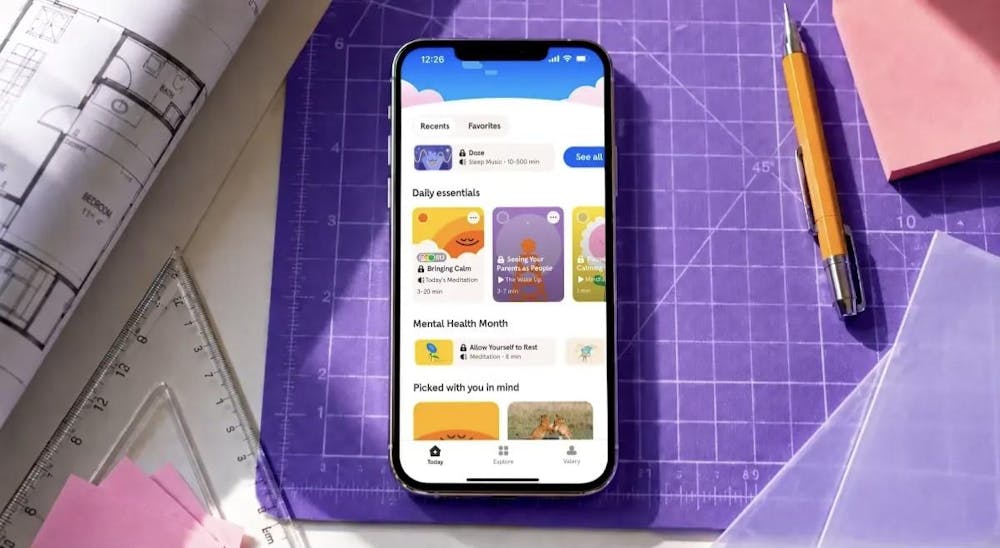
7. Calm App: Create Short Recovery Breaks During Busy Weeks
High academic expectations often lead to sleep disruptions and elevated stress levels as midterm exams approach. Stress is the most commonly reported health-related factor negatively affecting undergraduate students' academic performance.
Calm app provides structured breathing routines and short meditation tracks designed to lower your heart rate before a major presentation. You can use these short recovery sessions during intense study weeks to help prevent complete burnout before final exams begin.
How Students Combine Different Apps Across a Typical Week
Successful integration relies on using different tools for specific tasks throughout your week, keeping your routines organized without causing digital fatigue:
- Monday Morning: Open Todoist to review your weekly assignments and schedule your library study blocks based on upcoming exam dates.
- Wednesday Afternoon: Complete a brief lesson on Nibble while waiting for a group project meeting to begin in the student center.
- Friday Evening: Open Headway during your walk back to your apartment to listen to a summary of a text regarding behavioral economics.
Compare Categories Within the Best Self-Improvement Apps for Students
Different digital tools solve different structural problems in your schedule. Reviewing the core functions of the best self-improvement apps for students helps you select the correct tool for your current academic pressure points. The options listed among self-improvement apps right now fall into clear operational areas:
|
App Category |
Primary Target |
Representative Tools |
|
Knowledge Capture |
Book Summaries and Microlearning |
Headway, Nibble |
|
Time Organization |
Deadline and Task Tracking |
Todoist, Notion |
|
Attention Shielding |
Focus Buffers and Interruption Control |
Forest |
|
Stress Recovery |
Wellness and Sleep Quality |
Calm |
Choose and Test One App That Fits Your Current Semester
Using the top self-improvement apps for students in 2026 offers an objective way to manage your personal growth alongside demanding university workloads. You can select specific mobile formats that allow you to turn empty transit minutes into structured educational periods.
Additionally, by implementing these mobile platforms, you can be sure that your professional skill development continues even during the most demanding parts of the academic year. You can start with the category that matches your current workload and see how it fits into your schedule!
The Daily Princetonian’s editorial staff do not edit or otherwise review sponsored content.
Read More
